The collaborative online drawing board app
Bialborad is an online whiteboard drawing pad built for live collaboration with multiple users. Share your virtual drawing board with friends and teammates in one click.
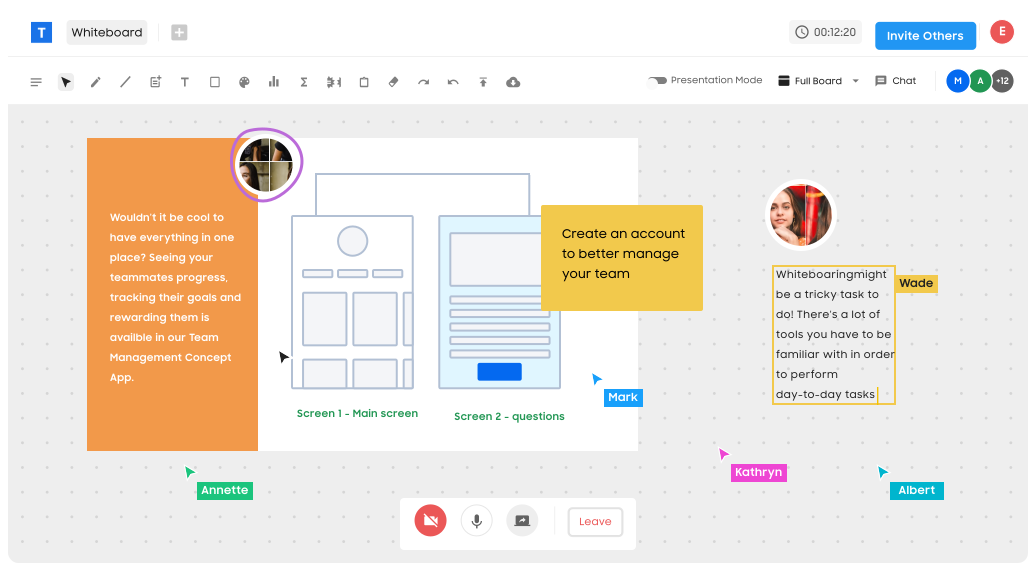
Shared drawing pad for sketching, art, or just scribbling notes.
Bialborad's interactive drawing app gives you the freedom to draw anything you choose. The possibilities for collaborative drawing are limitless.
Share drawing screen

Touch screen ready
My drawing options are limitless. I can sketch with friends with fun or collaborate with co-workers.
Real-time collaborative drawing online
Live interactive drawing app built to be shared with friends or remote teams. Bialborad is super-fast, making it easy to draw and share ideas with many team members all at once.
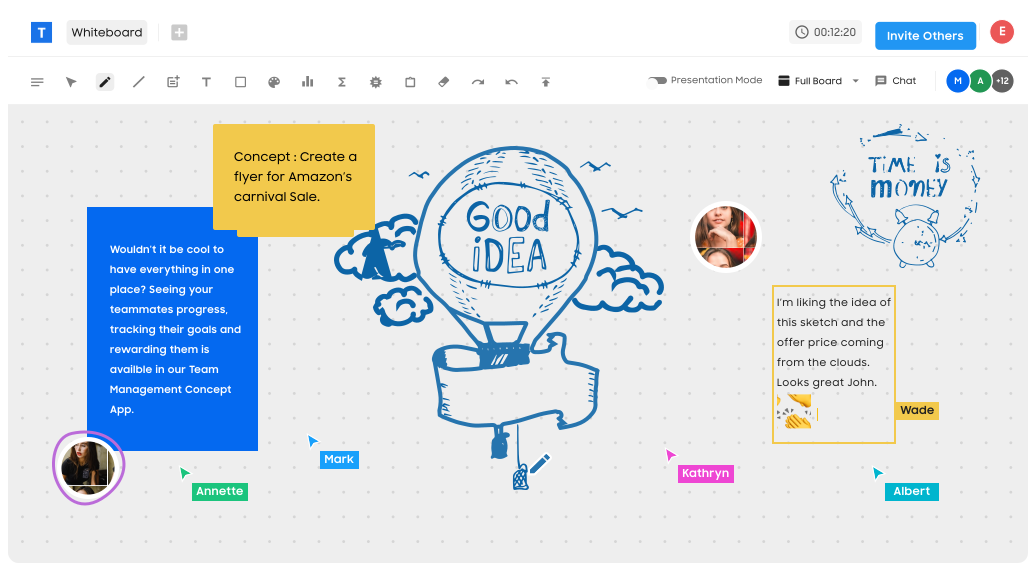
Everything you need in an online whiteboard for drawing, for free.
Bialborad's interactive drawing app gives you the freedom to draw anything you choose. The possibilities for collaborative drawing are limitless. Start with a template or a blank design.
Infinite Canvas

Video Chat
Precise Measurements
Save Your Work
Live and Unlimited
Insert Images, Shapes & More
Who draws together on Bialborad
A drawing board is rarely a solo tool. Designers open one to rough out a screen before anybody writes code, teachers sketch a diagram while a class watches the strokes appear, and friends jump in for nothing more serious than a doodle. Bialborad keeps all of those cases on the same canvas: you open a board in the browser, send the link, and whoever follows it starts drawing in the same second. Nothing is installed, and nobody signs up before they can hold a pen.
Because every stroke is shared live, the board works as a conversation rather than a file. You can talk over video while you draw, point at a corner of the canvas, erase and redraw without saving and re-sending anything. When the sketch settles into something worth keeping, export it as JPG, PNG, GIF or PDF and drop it wherever your team keeps its notes.
What a shared drawing pad is good for
Storyboards and wireframes are the obvious ones — an endless canvas suits work that grows sideways as ideas arrive. Mind maps and customer journey maps behave the same way: start in the middle, spread out, and never run out of room at the edge of a page. Freehand illustration works too, especially with a stylus or a touch screen, where drawing feels closer to paper than to software.
Uploaded images and shapes fill in whatever you would rather not draw by hand. Drag a screenshot onto the board, sketch on top of it, add arrows and labels, and the annotated result is ready to share. For rougher work the same canvas doubles as a scratch pad: notes, arrows, half-finished thoughts that only need to survive the length of a call.
Questions people ask before their first board
Does everyone need an account?
No. A board opens from its link, and guests can draw straight away. Accounts only matter when you want to come back to the same boards later.
How many people can draw at once?
There is no fixed limit on collaborators — invite as many teammates, students or friends as the sketch needs. Everyone sees the same cursors and strokes in real time.
Does it work on a tablet or a phone?
Yes. The canvas accepts touch and stylus input as well as a mouse, so an iPad or a drawing tablet behaves the way you would expect it to.
Can I keep what we drew?
Export the board as JPG, PNG, GIF or PDF at any point. The board itself stays where it is, so you can reopen it and carry on from the same drawing.
 A shared online whiteboard for teams, teachers, and friends.